• Skip to primary navigation
  • Skip to main content
MENU
×
  • About Us
    • Product Alliance
    • Client List
  • Services
    • MATV
    • Audio Visual Consultancy
    • Video Conferencing
    • Video Conferencing Room Hire
    • Unified Communications
    • Professional Service & Hardware Maintenance
    • Procurement
  • Case Studies
  • Industries
    • Corporate
    • Education
    • Government
    • Hospitality
    • Retail
    • Stadiums, Entertainment Venues and Leisure Centres
  • Blog
  • Contact
    • Service Request
noisebox logo blue
02 9638 3300
Contact
  • Video Conferencing
  • Audio Visual
  • Consultancy
  • Procurement
  • Unified Communications

Audio Visual

How Do Businesses Choose the Right AV Technology?

RJWDigital · May 25, 2026 ·

Choosing the right audio visual (AV) technology has become a critical decision for modern businesses. Meetings are no longer limited to people in a room — they now include hybrid participants, multiple offices, clients dialling in remotely, and fast-moving collaboration across platforms.

Yet despite how essential AV has become, many organisations still approach it as a “hardware purchase” rather than a strategic business decision.

In reality, selecting the right AV technology is about aligning people, spaces, and communication needs — not just installing screens and cameras.

At Noisebox, we work with businesses across Sydney that often start with the same question: “What AV system do we need?” The better question is usually: “How do we want our people to communicate and collaborate?”

This shift in thinking is what leads to the right solution.

Start With How Your Business Actually Works

The first step in choosing AV technology is understanding how your organisation operates day to day.

Different workplaces have completely different communication needs. A law firm running confidential board meetings will require a very different setup compared to a creative agency doing daily brainstorming sessions or a corporate office hosting hybrid client presentations.

Key questions include:

  • How often do you run video meetings?
  • Are meetings mostly internal or client-facing?
  • How many rooms will be used for collaboration?
  • Do you operate across multiple offices or locations?
  • Is hybrid work part of your long-term model?

These answers determine everything — from camera selection to conferencing platforms and system complexity.

One of the most common mistakes businesses make is starting with technology first instead of workflow first.

Understand the Types of AV Spaces You Have

Not all rooms in a workplace serve the same purpose, and they should not all use the same technology.

Most businesses today have a mix of:

  • Small huddle rooms
  • Standard meeting rooms
  • Boardrooms
  • Training or presentation spaces
  • Multi-purpose collaboration areas

Each space has different AV requirements.

For example:

  • Huddle rooms need simplicity and quick connectivity
  • Meeting rooms require balanced audio and video for small groups
  • Boardrooms demand premium audio clarity, multiple cameras, and executive-level presentation quality
  • Training rooms often need dual displays and content sharing flexibility

At Noisebox, we often find that businesses struggle when they try to standardise everything too early, rather than designing AV based on how each room is actually used.

Choose the Right Collaboration Ecosystem

One of the biggest decisions businesses face is selecting a collaboration platform.

The most common ecosystems include:

  • Microsoft Teams Rooms
  • Zoom Rooms
  • BYOD (Bring Your Own Device) setups
  • Hybrid environments

Each has strengths depending on how your organisation operates.

Microsoft Teams Rooms is often preferred in enterprise environments with strong Microsoft 365 integration. Zoom Rooms is popular for its simplicity and user-friendly experience. BYOD systems offer flexibility but can sometimes introduce inconsistency if not designed properly.

The key question is not “which is best,” but rather:
Which ecosystem aligns with how our people already work?

Consistency across rooms also plays a major role. Businesses with multiple meeting spaces benefit from standardising their AV platform to reduce confusion, support requests, and training time.

User Experience Is More Important Than Features

A common misconception is that more features equal better AV.

In reality, the best AV systems are often the simplest to use.

If employees need training every time they enter a meeting room, the system has failed — regardless of how advanced it is.

Good AV technology should:

  • Start meetings in one or two steps
  • Connect remote participants instantly
  • Require minimal troubleshooting
  • Work consistently across all rooms

Ease of use directly impacts adoption. Even the most advanced system is useless if staff avoid using it due to complexity.

This is where thoughtful design matters more than hardware specifications.

Don’t Underestimate Audio Quality

While video often gets the most attention, audio is the most critical part of any AV system.

Poor audio leads to:

  • Miscommunication
  • Repeated information
  • Meeting fatigue
  • Frustrated participants (especially remote users)

This is especially important in hybrid meetings where remote participants rely entirely on what they hear.

Modern AV systems often use:

  • Ceiling microphones
  • Beamforming technology
  • DSP (digital signal processing)
  • Acoustic tuning for the room

At Noisebox, we frequently see businesses upgrade their entire system after realising their original issue was not video — it was poor audio design.

Consider Scalability and Future Growth

Technology decisions should not only solve today’s problems — they should support where your business is heading.

Questions to consider:

  • Will your team grow in the next 2–5 years?
  • Will you expand to multiple offices?
  • Will hybrid work continue long term?
  • Will meeting rooms need to support more users over time?

Scalable AV systems allow businesses to:

  • Add new rooms easily
  • Maintain consistent user experience
  • Upgrade components without replacing entire systems
  • Standardise support and maintenance

A scalable design often saves significant cost over time, even if the initial investment is slightly higher.

Integration With Workplace Design Matters

AV technology is no longer separate from interior design — it is part of it.

Lighting, acoustics, furniture layout, and screen positioning all affect performance.

For example:

  • Poor lighting can ruin video quality
  • Glass-heavy rooms can cause audio echo
  • Incorrect screen placement reduces engagement
  • Large rooms require distributed audio, not single speakers

This is why AV planning should happen early in the office design or refurbishment process — not after construction is complete.

Support and Maintenance Are Often Overlooked

Many businesses focus heavily on installation but underestimate long-term support.

Even the best AV systems require:

  • Firmware updates
  • System monitoring
  • Troubleshooting support
  • User training refreshers
  • Occasional reconfiguration as needs change

A strong support model ensures systems remain reliable long after installation.

At Noisebox, ongoing reliability is often just as important as the initial design.

Final Thoughts

Choosing the right AV technology is not about selecting the most advanced system or the most expensive equipment. It is about understanding how your organisation communicates and designing a solution that supports that behaviour.

The best AV systems:

  • Fit the way your business actually works
  • Are simple enough for anyone to use
  • Deliver consistent audio and video quality
  • Scale as your organisation grows
  • Integrate seamlessly into your workspace

When businesses get this right, meetings become faster, communication improves, and collaboration becomes effortless — whether people are in the room or joining remotely.

At Noisebox, we help organisations move beyond guesswork and build AV environments that are designed for performance, reliability, and long-term value.

Frequently Asked Questions (FAQ)

What is the first step in choosing AV technology for a business?

The first step is understanding how your teams communicate — including meeting frequency, room usage, and whether collaboration is mostly internal or client-facing.

Should businesses choose AV based on budget or requirements?

Requirements should always come first. Budget is important, but choosing based purely on cost often leads to poor performance and higher long-term expenses.

What is the most important part of an AV system?

Audio quality is usually the most critical component, especially in hybrid meetings where remote participants rely entirely on sound clarity.

Do all meeting rooms need the same AV setup?

No. Different rooms serve different purposes, so AV systems should be tailored to room size, usage type, and user expectations.

Is it better to standardise AV across all rooms?

Yes, standardisation helps reduce confusion, simplifies support, and improves user adoption — especially in multi-room or multi-office environments.

How important is software platform selection (Teams vs Zoom)?

Very important. The chosen platform should align with how the organisation already works to ensure ease of use and adoption.

Should AV be planned during office design?

Yes. Integrating AV early with workspace design leads to better performance, cleaner installation, and improved user experience.

What Is the Difference Between a Meeting Room and a Boardroom AV System?

RJWDigital · May 19, 2026 ·

Modern workplaces rely heavily on collaboration technology. From daily team catch-ups to executive presentations and hybrid meetings, audio visual systems now play a central role in how businesses communicate. However, many organisations still assume that a meeting room and a boardroom require the same AV setup.

In reality, there is a significant difference between a standard meeting room AV system and a dedicated boardroom AV solution.

At Noisebox, we regularly work with businesses across Sydney that initially believe a basic video conferencing setup will be enough for every space. Once meetings become more executive-focused, client-facing, or hybrid in nature, those limitations quickly become apparent.

Understanding the differences between meeting room AV and boardroom AV can help businesses invest in technology that genuinely supports communication, productivity, and professionalism.

What Is a Meeting Room AV System?

A meeting room AV system is typically designed for smaller collaborative spaces used for day-to-day internal discussions. These rooms are often intended for team meetings, quick presentations, brainstorming sessions, and standard video conferencing calls.

Most meeting room setups focus on practicality and ease of use. Common components may include:

  • A single display screen
  • Basic conferencing camera
  • Speakerphone or compact audio system
  • Wireless presentation sharing
  • Simple Microsoft Teams or Zoom integration

The primary goal is functionality. Staff need to walk into the room, connect quickly, and hold efficient meetings without technical complications.

Meeting room AV systems are generally suited to:

  • Small to medium-sized teams
  • Informal collaboration
  • Internal meetings
  • Standard hybrid communication
  • Budget-conscious deployments

For many businesses, these systems provide excellent value for everyday operational needs.

What Is a Boardroom AV System?

A boardroom AV system is designed for a much higher level of performance, reliability, and presentation quality. Boardrooms are executive environments where important conversations, strategic planning, stakeholder meetings, and high-level presentations take place.

Unlike standard meeting rooms, boardrooms require technology that delivers a seamless and professional experience for both in-room and remote participants.

A modern boardroom AV system often includes:

  • Multiple commercial-grade displays
  • Intelligent camera tracking and auto-framing
  • Premium ceiling or integrated audio systems
  • Advanced microphone coverage
  • Video conferencing optimisation
  • Wireless collaboration tools
  • Room automation and control systems
  • Acoustic treatment and lighting integration

Boardroom environments also place greater emphasis on aesthetics, reliability, and user experience. Technology should feel integrated into the room rather than appearing as an afterthought.

At Noisebox, boardroom AV projects are often designed around executive workflows and hybrid collaboration requirements, ensuring meetings run smoothly without interruptions or technical frustrations.

The Key Differences Between Meeting Room and Boardroom AV Systems

While both spaces support collaboration, the expectations placed on each room are very different.

1. Audio Quality

Audio is one of the biggest differences between the two environments.

In a standard meeting room, a compact speakerphone or basic conferencing audio solution may be sufficient. In a boardroom, however, poor audio can undermine important discussions and create a poor impression for remote participants.

Boardroom AV systems typically use:

  • Ceiling microphone arrays
  • Beamforming microphones
  • Digital signal processing (DSP)
  • Echo cancellation technology
  • Zoned speaker systems

This creates clearer conversations and ensures every participant can be heard consistently across the room.

2. Camera Performance

Meeting rooms often rely on a single wide-angle conferencing camera. While suitable for small teams, these cameras may struggle in larger spaces.

Boardroom AV systems generally include:

  • Intelligent speaker tracking
  • Auto-framing technology
  • Multi-camera setups
  • High-resolution imaging
  • Better low-light performance

These features improve engagement during hybrid meetings and help remote participants feel more connected to the conversation.

3. Room Size and Coverage

Meeting room AV systems are designed for smaller spaces with limited seating capacity.

Boardrooms, on the other hand, often accommodate:

  • Executive leadership teams
  • Clients and stakeholders
  • Larger hybrid meetings
  • Formal presentations

As room size increases, so do the technical requirements. Larger spaces demand more advanced audio coverage, display visibility, camera positioning, and control systems.

4. User Experience and Reliability

A boardroom cannot afford technical issues during an important executive presentation or client meeting.

This is why boardroom AV systems are typically built with:

  • Dedicated conferencing platforms
  • One-touch meeting join functionality
  • Integrated control panels
  • Automated room settings
  • Enterprise-grade hardware

The focus shifts from basic functionality to operational reliability and premium user experience.

5. Presentation and Collaboration Capabilities

Meeting rooms generally support simple screen sharing and standard collaboration.

Boardrooms often require:

  • Dual-screen presentation modes
  • Content sharing from multiple devices
  • Advanced wireless collaboration
  • Interactive displays
  • Recording and streaming capabilities

These features help organisations deliver more engaging presentations and support modern hybrid collaboration.

Why Hybrid Work Has Changed Boardroom Design

The rise of hybrid work has significantly changed how businesses approach AV technology.

In the past, boardrooms were primarily designed for in-person meetings. Today, remote participants are often just as important as those physically present in the room.

This shift has increased demand for:

  • AI-powered conferencing cameras
  • Intelligent audio tracking
  • Better remote participant visibility
  • Consistent meeting experiences across locations
  • Integrated Microsoft Teams Rooms and Zoom Rooms solutions

Businesses are no longer simply designing rooms for the people sitting at the table. They are designing environments that support equal participation for everyone involved.

As a result, boardroom AV systems have become far more sophisticated than traditional meeting room setups.

Common Mistakes Businesses Make

One of the most common mistakes businesses make is assuming all collaboration spaces require the same technology.

A standard meeting room solution placed inside a large executive boardroom often leads to:

  • Poor microphone coverage
  • Inconsistent audio
  • Weak camera performance
  • Connectivity frustrations
  • Reduced meeting professionalism

Another common issue is underestimating future growth. Businesses may install a basic system that works initially but struggles as hybrid collaboration demands increase.

At Noisebox, we often help organisations redesign existing spaces that were not originally planned with long-term collaboration needs in mind.

Which AV System Is Right for Your Business?

The right solution depends on how the space will actually be used.

A meeting room AV setup may be ideal for:

  • Internal collaboration
  • Daily team meetings
  • Smaller groups
  • Budget-conscious projects

A boardroom AV system is better suited to:

  • Executive meetings
  • Client-facing presentations
  • Hybrid leadership collaboration
  • Formal decision-making environments
  • Enterprise-level communication

The key is designing the technology around the room’s purpose rather than applying a one-size-fits-all approach.

Final Thoughts

While meeting room AV systems and boardroom AV systems may appear similar on the surface, they serve very different business needs.

Meeting rooms focus on practicality and efficient collaboration. Boardrooms demand a more advanced level of performance, reliability, and professionalism.

As hybrid work continues to shape modern workplaces, businesses across Sydney are increasingly investing in boardroom AV solutions that support seamless communication and executive-level collaboration.

At Noisebox, we help organisations design tailored AV environments that improve meeting experiences, support hybrid work, and deliver long-term value. Whether you are upgrading a small meeting room or building a fully integrated executive boardroom, choosing the right AV strategy can make a significant difference to how your business communicates and collaborates.

Frequently Asked Questions (FAQ)

What is the main difference between a meeting room and a boardroom AV system?

A meeting room AV system is designed for everyday collaboration in smaller spaces, focusing on simplicity and quick setup. A boardroom AV system is built for executive-level meetings, offering higher-quality audio, advanced video, better coverage, and a more polished, reliable experience for both in-room and remote participants.

Do boardrooms really need more advanced AV than meeting rooms?

Yes. Boardrooms are typically used for executive discussions, client presentations, and hybrid meetings where professionalism and reliability are critical. Standard meeting room systems often lack the audio clarity, camera intelligence, and integration needed for these high-stakes environments.

Can a meeting room AV system be upgraded into a boardroom system?

In some cases, yes—but it depends on the room size, acoustic conditions, and existing infrastructure. Often, upgrading a boardroom requires redesigning the AV system entirely to ensure proper audio coverage, camera positioning, and user experience.

What is the most important feature in a boardroom AV system?

Audio quality is usually the most critical. If participants cannot hear clearly, even the best video setup will fail. This is why boardrooms often use ceiling microphones, beamforming technology, and professional-grade DSP systems.

How has hybrid work changed boardroom AV requirements?

Hybrid work has made equal participation essential. Boardrooms now need intelligent cameras, high-quality microphones, and seamless conferencing integration so remote participants feel as engaged as those physically in the room.

Is Microsoft Teams Rooms or Zoom Rooms better for boardrooms?

Both are strong options depending on your business ecosystem. Microsoft Teams Rooms is often preferred in enterprise environments, while Zoom Rooms is popular for its simplicity and user experience. The best choice depends on existing workflows and IT infrastructure.

Why should businesses invest in a dedicated boardroom AV system?

A dedicated boardroom AV system improves communication clarity, enhances professionalism during client meetings, reduces technical issues, and ensures a consistent, high-quality experience for both in-person and remote participants.

Delivering Scalable AV Solutions for Modern Workplaces: Resolution Life, Auckland

RJWDigital · Apr 20, 2026 ·

Consistency, reliability, and ease of use are critical when designing AV systems across multiple office locations.

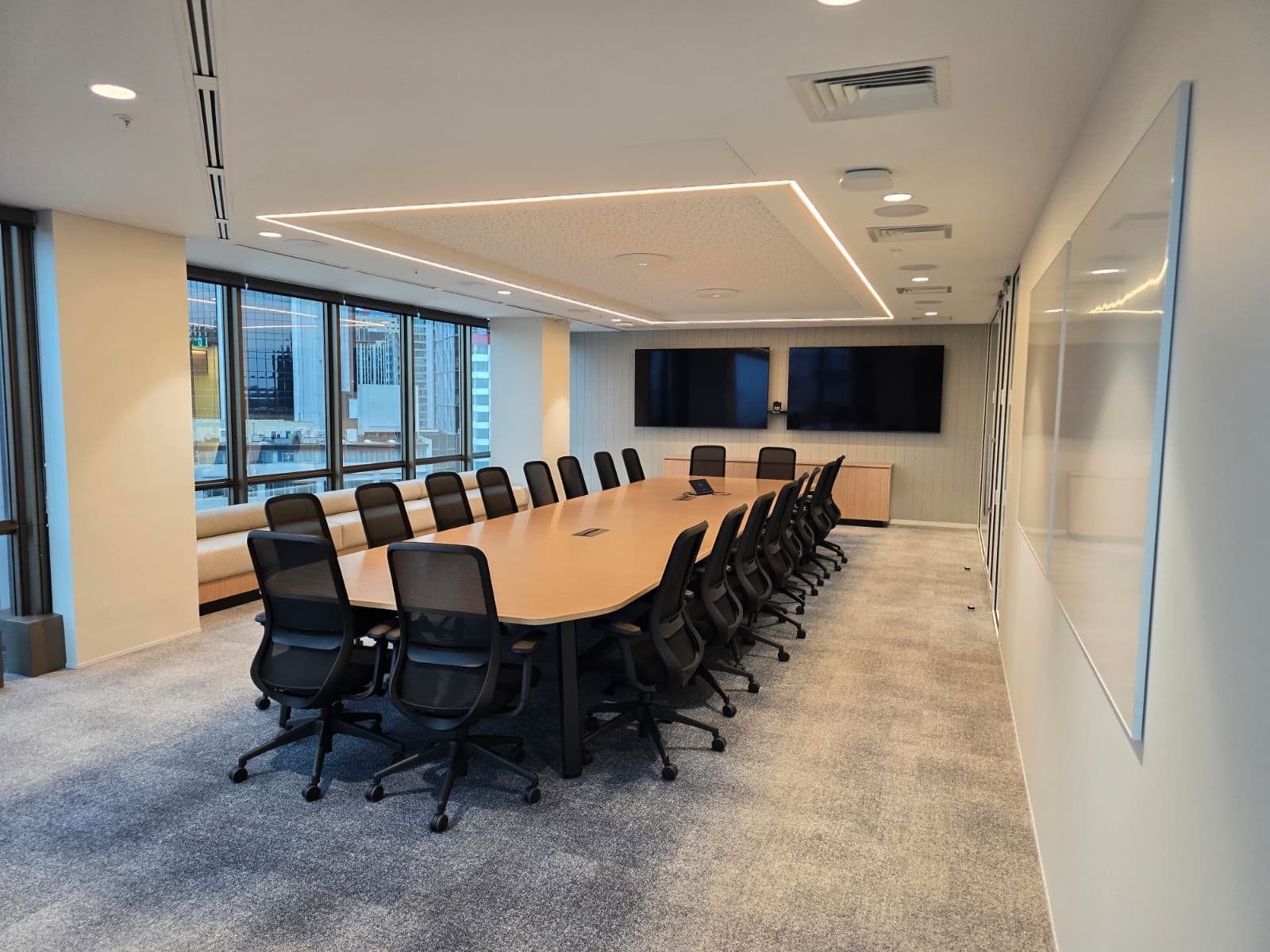
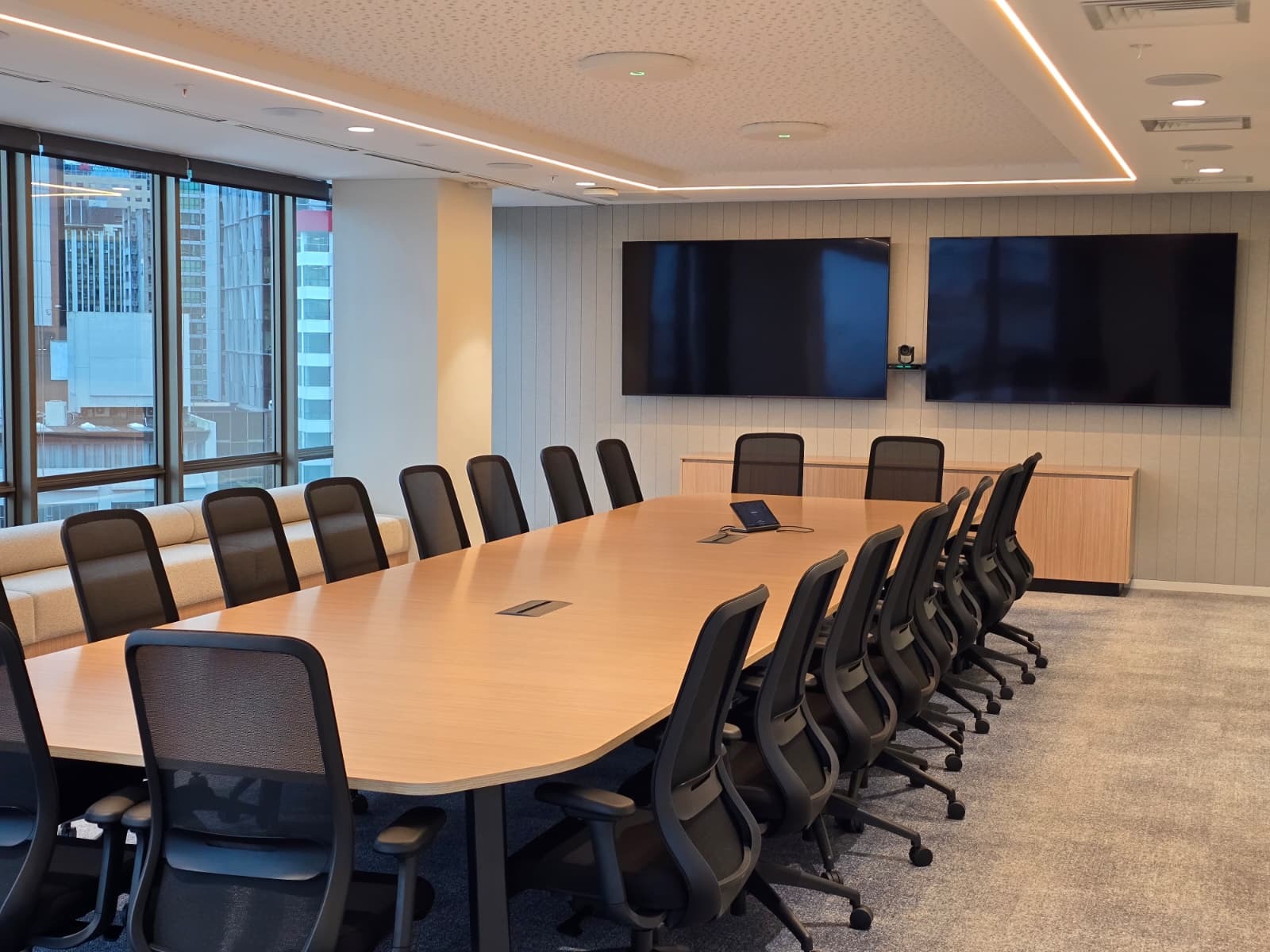
For Resolution Life’s Auckland office, the objective was clear. Build on an established Crestron and Microsoft Teams standard, while elevating key spaces with premium technology to support both everyday collaboration and large-scale internal events.

A Standardised Foundation

One of the biggest challenges in multi-office environments is maintaining consistency.

By aligning with the Crestron and Microsoft Teams ecosystems, Resolution Life ensures that every meeting room delivers a familiar, intuitive experience. Whether staff are in Auckland or another office, their interaction with the space remains the same.

This consistency reduces training requirements, minimises user friction, and allows teams to focus on the meeting rather than the technology.

Enhancing the Experience with Premium Technology

While standardisation is important, certain spaces require more advanced solutions to meet higher demands.

In this project, several key upgrades were implemented to enhance performance and usability.

Ceiling Microphone Arrays
Audio is often the most overlooked element of a meeting space, yet it has the biggest impact on communication. By integrating ceiling microphone arrays, the rooms maintain a clean aesthetic while delivering clear, consistent audio capture throughout the space.

Presenter Tracking Cameras
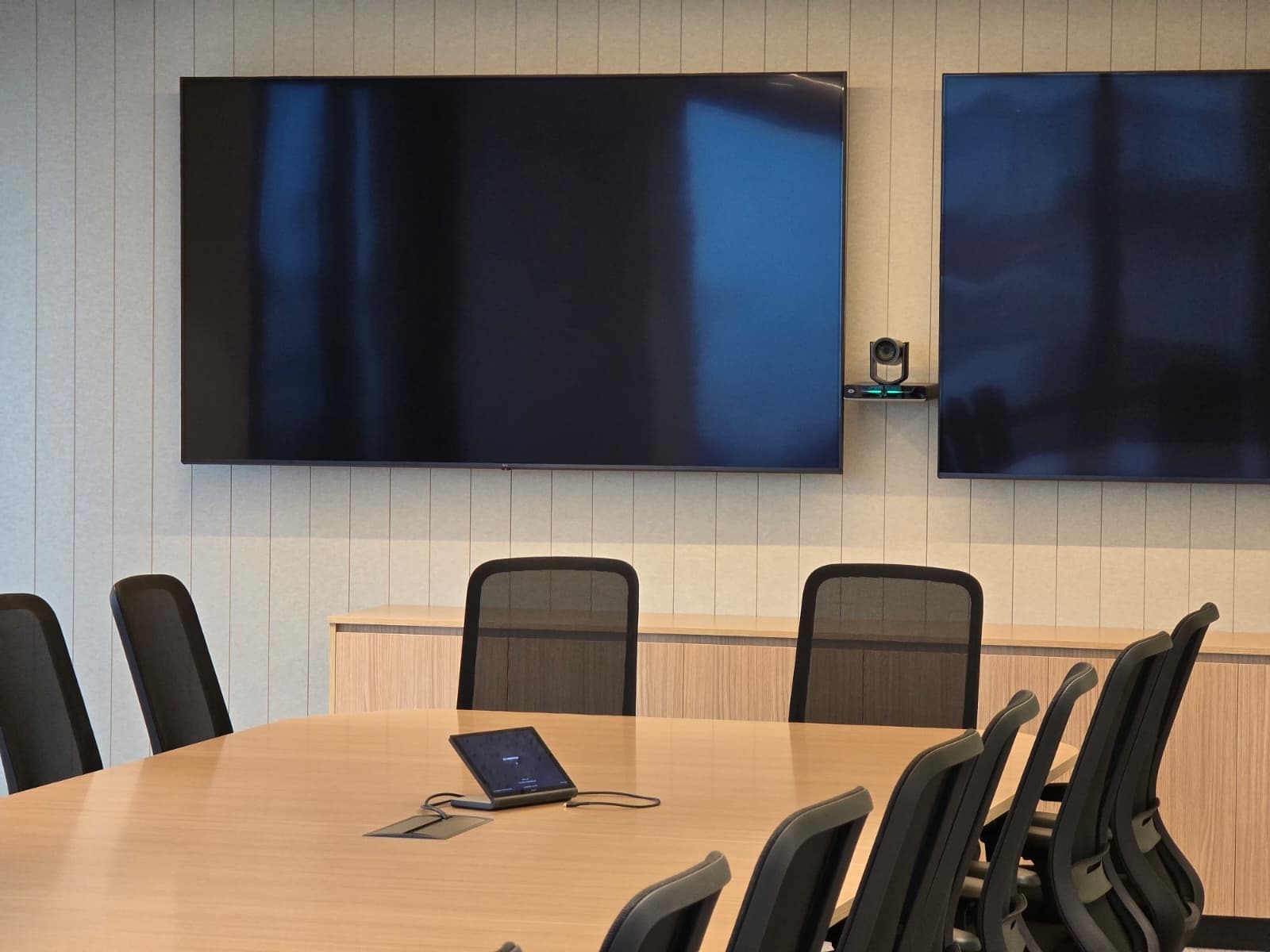
To create more engaging, dynamic meetings, presenter-tracking cameras were installed. These systems automatically follow the speaker, ensuring remote participants remain connected and engaged without manual camera control.

Seamless Teams Integration
Every room is designed to work effortlessly with Microsoft Teams, allowing users to start meetings quickly, share content easily, and collaborate without disruption.

A Space Designed for Scale: The Town Hall

A standout feature of this project is the large-scale town hall space.

Designed to accommodate all-hands meetings, presentations, and internal events, this environment required a different level of planning and execution.

Key considerations included:

  • Ensuring clear audio coverage across a larger audience
  • Providing a strong visual presence through large-format displays
  • Maintaining a consistent user experience despite the increased scale
  • Supporting both in-room and remote participants seamlessly

The result is a flexible space that can handle everything from executive presentations to company-wide updates.

Built for Everyday Use

The success of any AV installation is measured by how it performs day to day.

This project was designed with real-world use in mind. Systems are intuitive, reliable, and require minimal intervention. Users can walk into a room, start a meeting, and focus on what matters.

The Outcome

By combining a strong standardised foundation with targeted premium enhancements, Resolution Life now has a workplace environment that supports both consistency and performance.

It’s a balance that many organisations aim for but few execute well.

At Noisebox, this is where we focus our efforts. Not just delivering technology, but creating environments that work seamlessly for the people using them.

The Detail That Makes the Difference: Smarter Cable Management in Modern Meeting Rooms

RJWDigital · Apr 15, 2026 ·

When people walk into a well-designed meeting room, they notice the screen, the table, the chairs, and the overall look and feel of the space.

What they don’t notice is often what makes the biggest difference.

Behind every seamless AV experience is a series of small, considered decisions. One of those is how cabling is managed between the meeting table and the AV system.

The Challenge with Traditional Setups

In many meeting rooms, cabling is treated as an afterthought. Loose HDMI cables, temporary connections, and exposed wiring can quickly lead to:

  • Cluttered workspaces
  • Trip hazards
  • Inconsistent performance
  • Frustration for users trying to connect devices

Even in high-end environments, poor cable management can undermine the entire experience.

A Clean, Fixed Solution

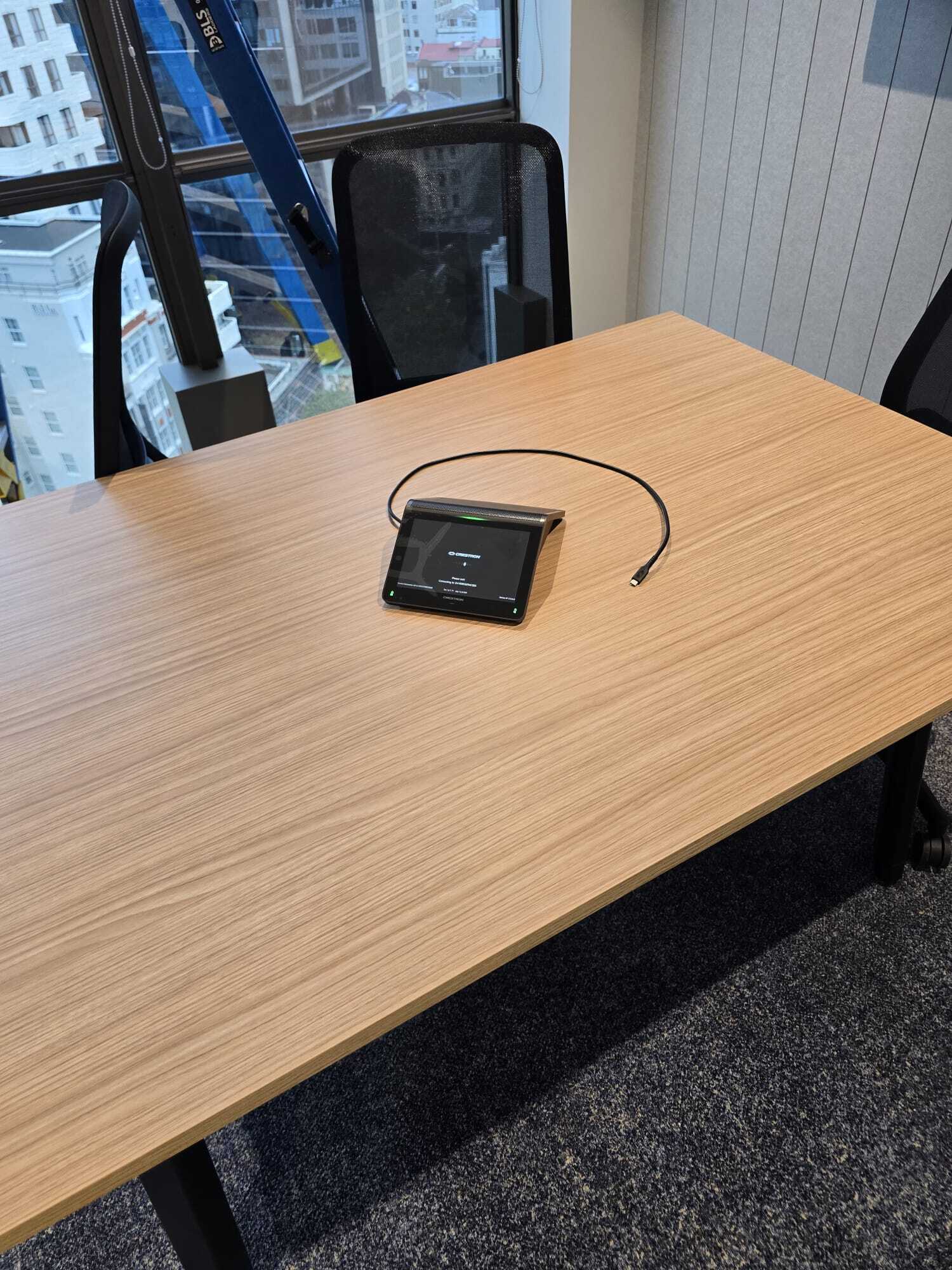
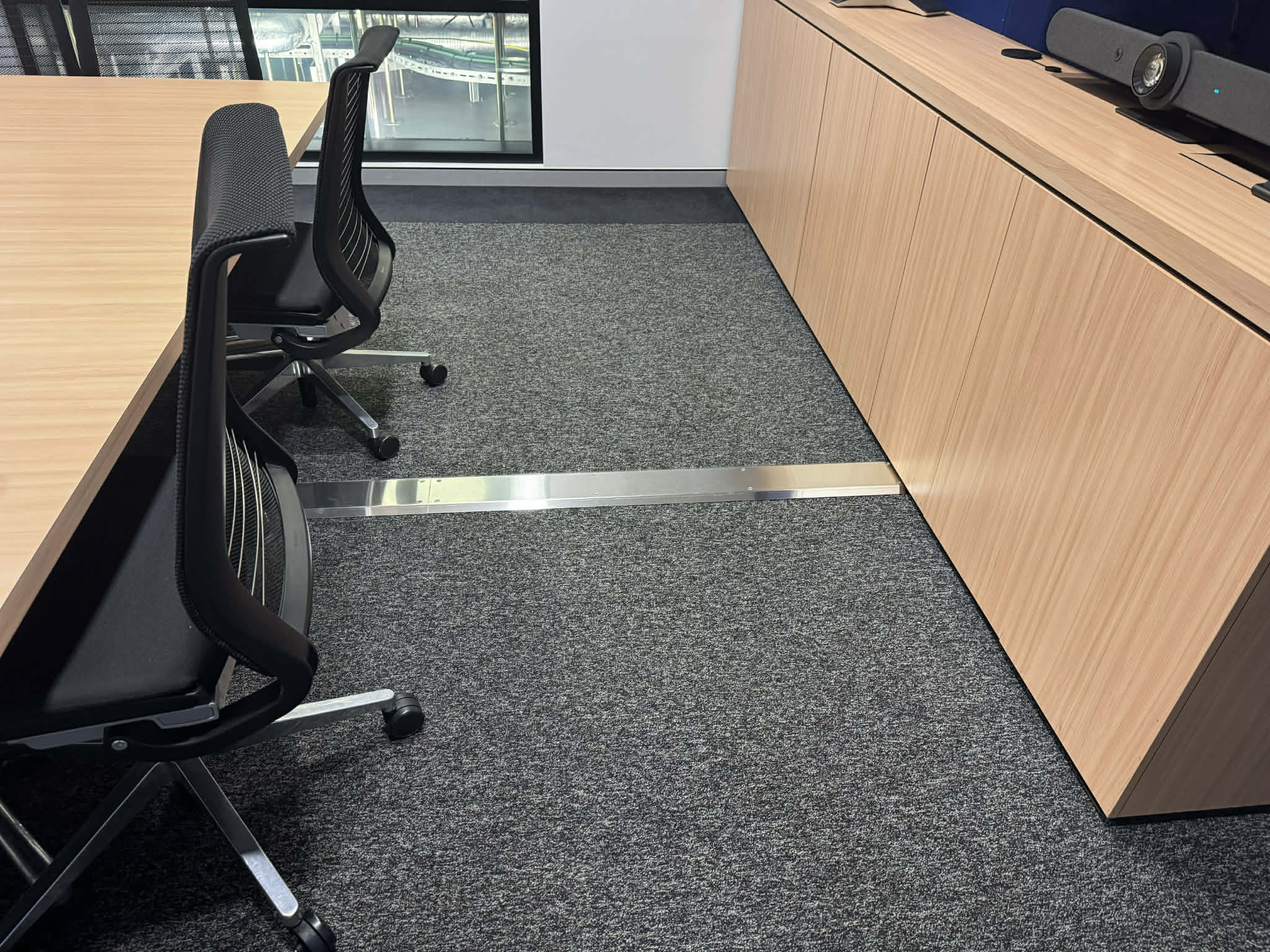
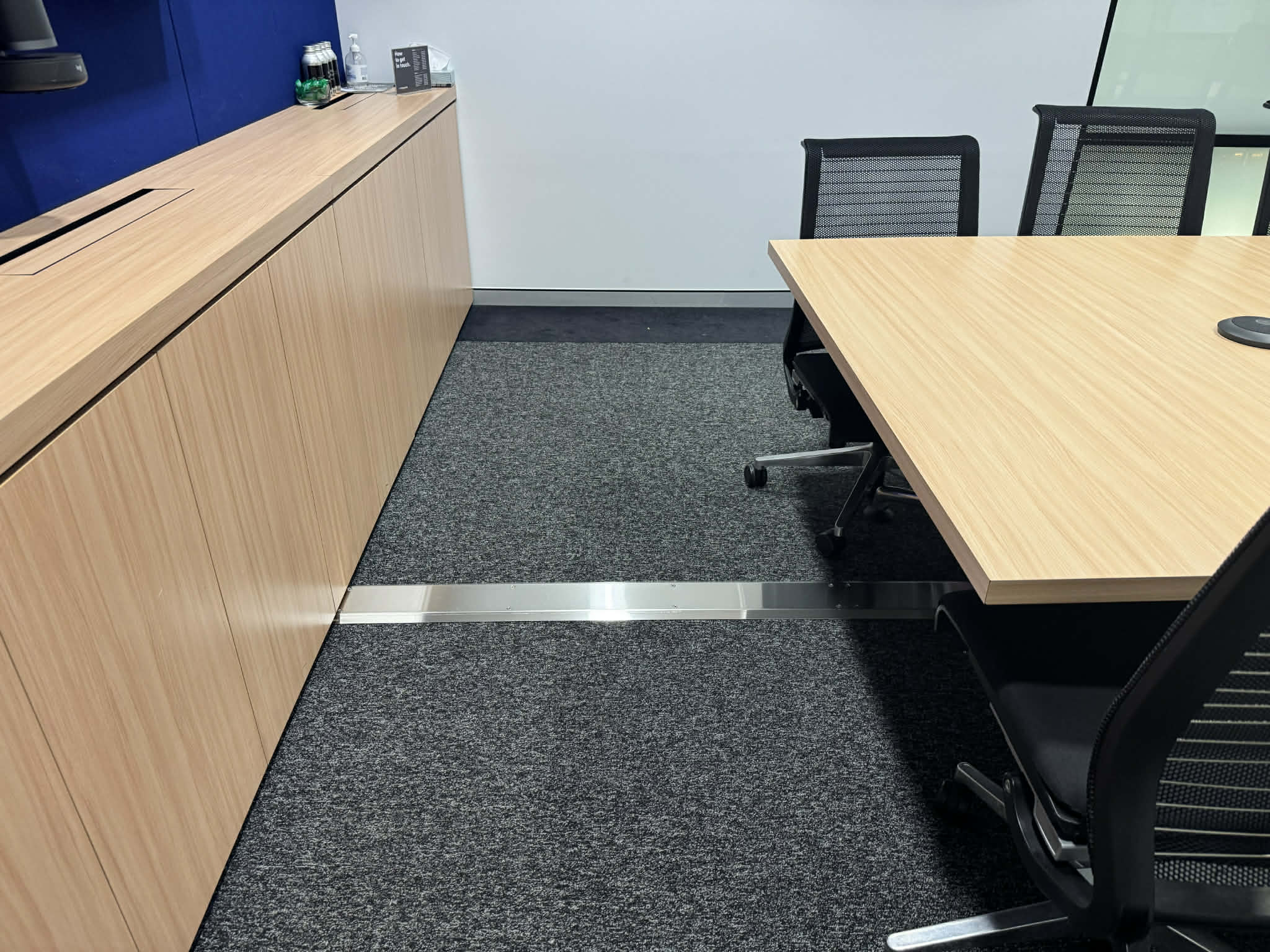
In this installation for Macquarie Technology Group, we implemented a stainless steel fixed cable track integrated directly into the floor.

This allows all interconnecting cabling to run cleanly and securely from the meeting table to the AV system.

Rather than relying on temporary or exposed solutions, everything is purpose-built and permanently integrated into the space.

What This Enables

This approach supports all key table-based AV components, including:

  • Table microphones
  • HDMI connectivity for presentations
  • Touch panels for system control

Each connection point is reliably linked to the system behind the scenes, without visible clutter or complexity.

Why It Matters

It’s easy to overlook cable management when planning a meeting room, but it has a direct impact on how the space performs day to day.

A fixed cable track delivers several key benefits:

1. A cleaner, more professional finish
No visible cables means the room maintains a polished, high-end look.

2. Improved safety
By removing loose cabling, the risk of trips and damage is significantly reduced.

3. Greater reliability
Permanent connections reduce wear and tear compared to constantly plugging and unplugging cables.

4. Better user experience
End users can walk in, connect, and present without needing to think about the technology.

Built for Real-World Use

The best AV environments aren’t just designed to look good. They’re built to work consistently, every day, with minimal friction.

This is where details like fixed cable tracks come into their own. They’re not the headline feature, but they play a critical role in delivering a seamless experience.

At Noisebox, we focus on these details just as much as the bigger elements of an AV system.

Because in the end, it’s not just about technology. It’s about creating spaces that work the way people expect them to.

How Do I Choose the Right Audio Visual Consultant?

RJWDigital · Apr 13, 2026 ·

In today’s modern workplaces, event venues, and education spaces, audio visual (AV) technology plays a pivotal role in communication, presentations, and entertainment. From video conferencing systems to interactive displays, well-designed AV solutions can transform a space, boost productivity, and create memorable experiences.

But with so many AV consultants available, how do you choose the right one for your project? Selecting the wrong consultant can lead to wasted budget, underperforming systems, and frustrated staff or clients. This guide explores what to look for when choosing an audio visual consultant and how Noisebox helps organisations across Australia get it right.

Why Choosing the Right AV Consultant Matters

The right AV consultant doesn’t just install equipment, they design, integrate, and optimise systems that meet your unique requirements. Poor AV planning can result in:

  • Misaligned technology that doesn’t suit your space
  • Over- or under-budget solutions
  • Equipment that’s difficult to use or maintain
  • Complicated systems that staff struggle to operate

A qualified AV consultant ensures that your investment delivers value, reliability, and a seamless user experience.

Key Factors When Choosing an AV Consultant

1. Experience and Track Record

The first thing to consider is the consultant’s experience. AV systems vary widely depending on the environment, corporate boardrooms, large event spaces, hospitality venues, and educational institutions each have different requirements.

Ask potential consultants for:

  • Case studies of previous projects
  • References from clients in similar industries
  • Examples of complex or large-scale installations

Example: NoiseBox recently delivered a complete AV integration for a corporate boardroom in Sydney, including video conferencing, interactive displays, and room automation. The client highlighted how the consultant’s prior experience with hybrid workspaces ensured a seamless implementation.

2. Technical Expertise

AV systems involve a combination of hardware, software, and networking knowledge. Your consultant should be able to:

  • Assess room acoustics and lighting
  • Design video and audio systems to suit the space
  • Integrate with existing IT and network infrastructure
  • Configure video conferencing and presentation systems

Look for certifications such as CTS (Certified Technology Specialist) or manufacturer-specific credentials, which demonstrate proficiency and commitment to industry standards.

3. Customised Solutions

Every space and client has unique needs. A good AV consultant will offer solutions tailored to your environment and objectives rather than a “one-size-fits-all” approach.

Consider whether the consultant can:

  • Recommend the right mix of equipment for your space
  • Advise on interactive technologies or hybrid meeting solutions
  • Provide flexible solutions that can scale or adapt over time

Customised AV solutions improve usability, reduce downtime, and ensure technology aligns with your organisation’s goals.

4. Budget and Project Management

AV projects can become costly if not planned properly. A consultant should help you balance quality with budget, providing clear cost breakdowns and timelines.

Good project management includes:

  • Scope planning and risk assessment
  • Transparent budgeting and sourcing
  • Coordination with other trades or IT teams
  • Regular updates throughout the project lifecycle

This approach reduces unexpected costs and ensures the project is delivered on time.

5. Post-Installation Support and Training

An AV consultant’s work doesn’t end at installation. Staff need to know how to operate the systems, and any issues must be addressed quickly.

Look for consultants who offer:

  • User training sessions
  • Maintenance and support agreements
  • Remote monitoring or troubleshooting options

Example: After installing a complex AV system in a Melbourne training facility, NoiseBox provided staff training and ongoing support, ensuring the client could confidently use the technology every day.

6. Industry Knowledge and Recommendations

AV technology evolves rapidly. A good consultant should provide guidance on future-proofing, recommending solutions that are:

  • Scalable and adaptable
  • Compatible with new technologies
  • Energy-efficient and reliable

This ensures that your AV investment continues to deliver value as technology advances.

Common Mistakes When Choosing an AV Consultant

  1. Focusing on Price Alone: The cheapest option often leads to inferior systems or hidden costs.
  2. Ignoring References: Past projects and client feedback are key indicators of quality.
  3. Overlooking Customisation: Off-the-shelf solutions may not meet your specific requirements.
  4. Skipping Training: Failing to train staff leads to underutilised technology and frustration.
  5. Neglecting Maintenance: A system without ongoing support can deteriorate quickly, leading to downtime.

Questions to Ask Potential AV Consultants

  • What experience do you have with projects similar to mine?
  • Can you provide references or case studies?
  • Which systems and manufacturers do you work with?
  • How do you approach integration with existing IT infrastructure?
  • Do you offer training and ongoing support after installation?
  • How do you ensure projects stay on budget and schedule?

Asking these questions helps you select a consultant who is both competent and aligned with your project goals.

How NoiseBox Stands Out

At Noisebox, we specialise in delivering customised AV consultancy across Australia. Our approach combines technical expertise, creative solutions, and personalised service to ensure every project is a success.

Key differentiators include:

  • Extensive experience with corporate, education, and event spaces
  • Bespoke AV designs tailored to each client’s needs
  • Certified consultants with up-to-date knowledge of the latest technologies
  • Comprehensive post-installation support and staff training

With NoiseBox, clients gain a partner who understands their vision, recommends the right technologies, and ensures seamless implementation from start to finish.

Conclusion

Choosing the right audio visual consultant is critical to the success of your project. By prioritising experience, technical expertise, customisation, project management, and support, you can ensure your AV systems are efficient, reliable, and aligned with your organisation’s goals.

Noisebox provides expert AV consultancy, helping Australian businesses, educational institutions, and event venues implement systems that are functional, user-friendly, and future-proof. Whether you’re outfitting a new boardroom, upgrading a training facility, or planning a hybrid event, the right consultant makes all the difference.

Frequently Asked Questions (FAQ)

What is the role of an audio visual consultant?

An AV consultant designs, plans, and integrates audio and visual systems tailored to your space, ensuring functionality, usability, and compliance with industry standards.

How do I know if a consultant is qualified?

Look for experience with similar projects, professional certifications, case studies, and client references.

Can AV consultants customise solutions for my space?

Yes. A qualified AV consultant will design solutions tailored to your space, technology needs, and user requirements.

Why is post-installation support important?

Ongoing support ensures staff can use the systems effectively, and any issues are addressed promptly to prevent downtime.

How much does hiring an AV consultant cost?

Costs vary based on project complexity, space size, and required technologies. A reputable consultant provides clear budget planning and cost transparency.

Do Audio Visual Consultants Handle Installation or Just Planning?

RJWDigital · Mar 27, 2026 ·

When planning a new office, event space, or educational facility, audio visual (AV) technology is often a core component. From interactive displays and video conferencing systems to room automation and sound management, AV solutions can transform the way people communicate, learn, and collaborate.

A common question arises: “Do AV consultants handle installation, or is their role limited to planning?” Understanding the scope of an AV consultant’s responsibilities is crucial for a successful project, saving time, reducing costs, and ensuring a seamless experience. In this article, we break down what AV consultants do, the difference between planning and installation, and how NoiseBox delivers end-to-end solutions for clients across Australia.

What AV Consultants Do: Planning vs Installation

Planning: The Core of AV Consultancy

Audio Visual consultants specialise in understanding client needs, designing systems that meet objectives, and ensuring technology aligns with a space’s requirements. Their responsibilities in the planning phase typically include:

  • Assessing the space: Analysing acoustics, lighting, room layout, and infrastructure to determine optimal AV configurations.
  • System design: Specifying equipment, layouts, cabling, and integration points to meet client objectives.
  • Technology selection: Recommending the best hardware and software based on budget, scalability, and functionality.
  • Budgeting and proposals: Preparing cost estimates and project timelines for approval.
  • Workflow and user experience design: Ensuring the system is intuitive, efficient, and suitable for staff or end-users.

In short, planning is where the AV consultant ensures that the system will work effectively before any hardware is installed.

Installation: How Consultants Contribute

The installation phase involves physically placing and connecting AV equipment, testing, and commissioning the system. While some clients assume consultants only plan, many, including NoiseBox, offer end-to-end solutions where installation is either:

  1. Managed directly by the consultant’s team: The consultant oversees or carries out the installation, ensuring the system matches the original design.
  2. Coordinated with third-party installers: Consultants provide detailed specifications, oversee the installation process, and conduct quality checks.

Consultants’ involvement in installation is crucial. It ensures that the system functions exactly as intended and prevents costly errors that can occur when designs are handed off without supervision.

Why Consultant Involvement in Installation Matters

Ensuring System Accuracy

Even small deviations during installation can affect performance. For example, improper placement of speakers in a conference room can lead to poor sound coverage, and incorrect display positioning can result in glare or visibility issues. Having a consultant present during installation guarantees fidelity to the design.

Streamlining Communication

Consultants act as a bridge between clients, contractors, and installers. They ensure that technical specifications are followed, adjustments are communicated in real time, and the system meets both functional and aesthetic requirements.

Optimising User Experience

Consultants often fine-tune the system during installation. This might involve calibrating audio levels, adjusting lighting settings, or programming interactive features so that staff and users can operate the system efficiently from day one.

Example: At a corporate boardroom fit-out in Melbourne, NoiseBox consultants oversaw both the planning and installation of a hybrid video conferencing system. By supervising the installation, they ensured all displays were perfectly aligned, audio levels were consistent, and the room automation worked seamlessly—avoiding any disruptions on launch day.

When Consultants Only Plan

In some cases, AV consultants provide detailed designs and specifications but do not handle installation. This approach may be appropriate for:

  • Organisations with in-house technical teams capable of installation
  • Projects that require multiple contractors across different trades
  • Smaller-scale installations where professional installation is straightforward

Even when not installing, a consultant’s role is vital. Their plans act as a blueprint, and they often provide ongoing support, including troubleshooting, commissioning guidance, and staff training.

How NoiseBox Handles End-to-End AV Projects

NoiseBox specialises in providing full-service AV consultancy. This means we can manage projects from the first consultation to final installation and commissioning, ensuring clients receive:

  1. Tailored system design: Solutions customised to the client’s space, workflow, and technology needs.
  2. Expert installation oversight: On-site supervision by certified consultants to guarantee alignment with the original plan.
  3. Quality testing and optimisation: Ensuring all systems function perfectly before handover.
  4. Staff training and documentation: Providing users with the knowledge to operate the system efficiently.
  5. Ongoing support and maintenance: Offering technical assistance and upgrades as technology evolves.

This integrated approach reduces risks, saves time, and provides peace of mind, knowing that every detail is accounted for.

Choosing the Right AV Consultant

When selecting an AV consultant, consider the following:

1. Experience and Track Record

Look for consultants with a proven history in projects similar to yours. Case studies and client testimonials are invaluable indicators of capability.

2. Technical Expertise

Ensure the consultant has a deep understanding of audio, video, and networking technologies, as well as certifications such as CTS (Certified Technology Specialist).

3. Project Management

A good consultant manages timelines, budgets, and installation logistics efficiently, minimising surprises and delays.

4. End-to-End Service

If installation is part of your requirement, confirm whether the consultant oversees or performs installation, and whether ongoing support is included.

5. Customisation and Flexibility

The best AV consultants provide solutions tailored to your space and goals, rather than offering standard “off-the-shelf” systems.

Common Questions About AV Consultants and Installation

Do all AV consultants provide installation services?

Not all. Some focus solely on design and planning. However, many, like NoiseBox, offer end-to-end solutions, including installation oversight.

Can installation be handled by third-party contractors?

Yes. Consultants often coordinate with trusted installers, ensuring the system is installed according to specifications.

Why is consultant involvement important during installation?

Consultant involvement ensures accuracy, quality, and user experience. It prevents errors, reduces downtime, and ensures the system performs as intended.

Is post-installation support included?

Reputable consultants provide ongoing support, including troubleshooting, system optimisation, and staff training.

Conclusion

Audio Visual consultants do far more than plan systems—they ensure your technology investment meets your objectives, whether through design, installation oversight, or full end-to-end service. Choosing a consultant who can guide the project from conception to completion reduces risks, guarantees performance, and delivers a seamless user experience.

At NoiseBox, we combine technical expertise, customised design, and installation management to deliver AV solutions across Australia that work perfectly from day one. Whether it’s a corporate boardroom, an event venue, or an educational facility, our consultants ensure every project is executed with precision, professionalism, and attention to detail.

Frequently Asked Questions (FAQ)

Do AV consultants handle installation?

Many do. Some focus only on planning, while full-service consultants, like NoiseBox, manage installation oversight to ensure systems match the design.

Can third-party installers follow an AV consultant’s plan?

Yes. Consultants often coordinate with installers to guarantee correct implementation and system performance.

What’s the benefit of consultant involvement in installation?

Consultants ensure accuracy, optimise performance, streamline communication, and deliver a superior user experience.

Is post-installation support provided?

Yes. NoiseBox and similar consultants provide staff training, troubleshooting, and ongoing technical support.

How do I choose the right AV consultant for my project?

Consider experience, technical expertise, project management, ability to customise solutions, and whether they offer installation and support services.

A.V. For An I.T. World

NoiseBox · May 21, 2014 ·

New Blueprint For Commissioning A.V. is Born !

A trend is something that starts at a point in time – generally at a time when dissatisfaction is occurring and a change from the ‘norm’, affecting a better outcome, is required.

Some trends endure to become a ‘standard’, but most are tried and abandoned for various reasons, as change requires ‘REVOLUTION’.

Noisebox is at the centre of such a revolution, by rethinking how Audio Visual equipment is commissioned into corporate environments.

Deloitte is a case in point because of a long history of wide spread dissatisfaction with their standard procedures.

To paraphrase a senior property and facilities management executive, “Every project involving AV to date has be a spectacular failure”.

Traditionally managing the process of design, specifications, tendering, implementation and commissioning of equipment, has been handled exclusively at an ‘academic’ level, which has proven, too often, to focus on outcomes that are mainly premised by, the ‘lowest price wins’ ideology: –
– (The tender is handled by several building companies, through a tendering process, which is scuttled by the AV tenderers in a race to the very bottom.
Implementation follows the winner’s motto of cheapest price wins and variations are now the ‘main game’).

Result being, that the academics get to earn their keep, and the client gets what they get. This is an all too familiar scenario and one that requires change, as, in this highly technical age, expertise lies with the experts in their fields and not with the academics.

So what are the options?

To get off this ‘merry-go-round’ of ineffectiveness that has ensued, Noisebox has implemented a system, which has more accountability and provides direct access to hands-on expertise.

This is how it has worked for our ‘Happy Customer’ Deloitte., firstly, the services of a specialised AV company who provide a concierge audio visual service is engaged and whereby technical support staff are embedding into the Deloitte offices in both Sydney and Melbourne.

Next they married the concierge staff with the corporate services staff, allowing for relevant, planning and preparation dialogue before meetings and corporate events, facilitating an environment whereby, the people who are responsible for delivering the outcomes are all together in a cooperative and interdependent environment.

RESULTS: Happy presenters, Satisfied event attendees, Less anxiety and ultimately, SUCCESSFUL OUTCOMES! ✔✔✔✔✔

While this system was working well the installed equipment was just not keeping up. The question that needed answering was:-

What if the operator of the systems could have direct dialogue with the actual people who installed the technology?, would Deloitte get better outcomes? Would it change the trend of spiraling equipment failures?

What ensued was, Corporate Technology Services became the client and Noisebox Integrated Technologies, became the solutions designers and installers, being completely and unequivocally responsible for all outcomes.

Problem solved, new ‘blueprint’ for the smooth installation of audiovisual and video conferencing integrated technologies, is born.

Sky Racing is Switching OFF all its Analogue Services into Pubs, Clubs and TAB Agency’s

NoiseBox · Feb 4, 2013 ·

Sky Racing will only be broadcasting in DIGITAL from this month on.

To Keep receiving your Sky Racing services after the analogue  service is switched off , your television system, will have to be capable of receiving Digital signals.

If you haven’t already upgraded to Digital Televisions, now is the time to do so…

Don’t get caught out !

For more information on this we recommend you visit www.skydigitalready.com.au 

Contact Noisebox for a….

  • list of Compatible TV brands
  • TAB Digital TV selection criteria
  • Sky Digital T-Mod channel plans
  • Digital Ready MATV systems
  • Technician to come out to your Venue

on 02 9638 3300 or Fill out the GET IN TOUCH form on the Right hand side of each Webpage

MATV Master Aerial TV

NoiseBox · Dec 12, 2012 ·

Master Antennae TV – a communal aerial system that uses a master aerial to receive the signal before it is distributed.

Many venue operators are looking for an edge – if you have invested heavily in offering a Sports bar or any sort of large screen viewing facility you will want to create a “just like being there environment” so your patrons keep coming back. Destination venues create customer loyalty and to achieve this the technology must deliver the experience.

The biggest misconception about digital TV is that all programs are transmitted in high definition (HD) when in fact TV programs are mainly still standard definition (SD) but are viewed through the digital tuner that “makes” the picture look better.  The jargonistic terms also don’t help with demystifying the technology, descriptions like “1080P” and “true high definition” don’t mean that much to the average person. In reality there are several high definition resolutions (picture quality) including true HD at 1080P, 720P and barely HD but more SD 576P. Obviously the best resolution is 1080P, but 720P & 576P can look ok.

For venue operators the problem has been how to get PAY TV (PTV) channels to appear through the digital tuner on the TV. Most venues have used analogue modulation where the AV signal from the PTV box is turned into an analogue RF channel and subsequently appears via the analogue tuner on your expensive flat panel  screen. So Digital TV (DTV) came along and you could get all the free to air (FTA) channels on the digital tuner and all the PTV channels on the analogue tuner. Not very practical for venue management, usually they opted to just show all the channels through the analogue tuner… bye bye HD TV… until now.

Like most technology it gets cheaper the more they make, what was $3000 per SD PTV channel is now currently at around $800.00 per PTV channel. Added to this Sky Channel now provides a digital signal at the set top box so Sky 1 & Sky 2 are available as a 576P SD signal viewable through the digital tuner on your TV. Foxtel is the only provider that has kept to the AV format but offers true 1080P HD programs through the IQ2 box.  Venues could then have either a 4 channel SD modulation for all the Fox sports channels OR maybe an additional one HD modulator for programs transmitted in true HD.

Implementing these facilities at a venue is reasonably straight forward so long as the basic infrastructure (antenna & cabling) are not too old. Assuming that the venue has a good base the job of upgrading to digital requires the removal of equipment at the RF hub and installation of the digital modulators. A retune of all the televisions to pick up the new digital signals completes the upgrade.

Contact Noisebox via the website or call on 02 9638 3300 for a quote on how you can leverage your current TV investment to achieve a better, high performance, high definition outcome.

Start a conversation

© 2026 Noisebox · Privacy · Sitemap · Site by The DMA
crestron-logo-light
cisco-logo-white
poly-logo-white